

In the dynamic landscape of industrial technology, Handheld HMIs (Human-Machine Interfaces) have emerged as indispensable tools, offering unparalleled flexibility and convenience for operators across various sectors. As a leading Handheld HMI supplier, I am constantly exploring ways to enhance the functionality and cost-effectiveness of our products. One question that frequently arises is whether there are any free software development tools available for Handheld HMIs. In this blog post, I will delve into this topic, exploring the options and their implications for Handheld HMI development.
The Significance of Software Development Tools for Handheld HMIs
Before we discuss free software development tools, it's essential to understand the role of these tools in Handheld HMI development. Software development tools are the building blocks that enable developers to create intuitive, efficient, and feature-rich interfaces for Handheld HMIs. These tools facilitate tasks such as designing user interfaces, programming logic, integrating with other systems, and testing the functionality of the HMI.
A well-designed HMI software can significantly improve operator productivity, reduce errors, and enhance overall system performance. It allows operators to interact with machines and processes in a more intuitive and efficient manner, leading to better decision-making and increased operational efficiency. Therefore, having access to high-quality software development tools is crucial for Handheld HMI suppliers and developers.
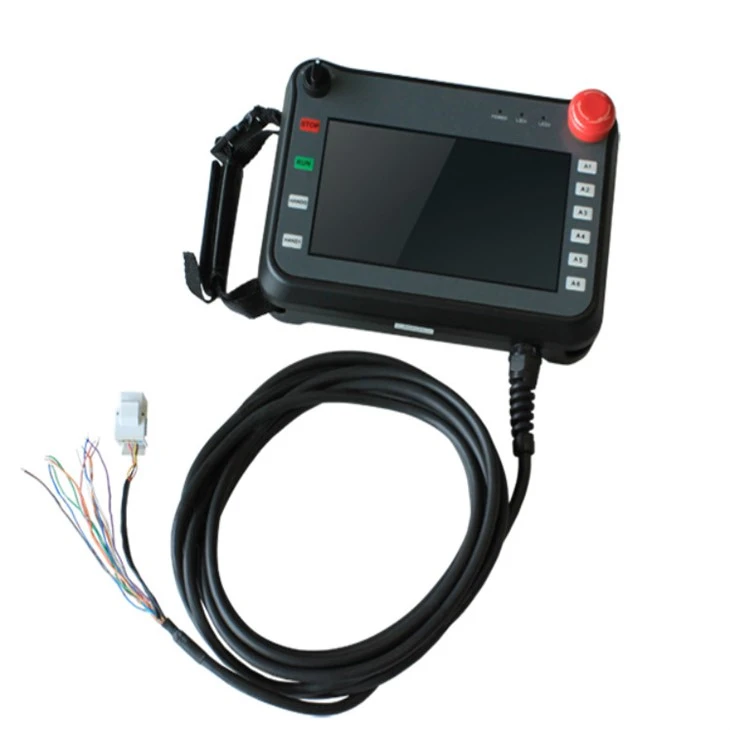

Exploring Free Software Development Tools for Handheld HMIs
There are several free software development tools available in the market that can be used for Handheld HMI development. These tools offer a range of features and capabilities, making them suitable for different types of projects and requirements. Let's take a closer look at some of the popular free software development tools for Handheld HMIs.
1. Qt Creator
Qt Creator is a cross-platform integrated development environment (IDE) that provides a comprehensive set of tools for developing applications, including those for Handheld HMIs. It supports multiple programming languages, such as C++, QML, and JavaScript, and offers a user-friendly interface for designing and developing graphical user interfaces (GUIs).
One of the key advantages of Qt Creator is its cross-platform compatibility. It allows developers to create applications that can run on multiple operating systems, including Windows, macOS, Linux, and embedded systems. This makes it an ideal choice for Handheld HMI development, as it enables the creation of applications that can be deployed on a wide range of devices.
Qt Creator also provides a rich set of libraries and frameworks that can be used to simplify the development process. These libraries offer pre-built components and functions for tasks such as graphics rendering, networking, and database access, reducing the development time and effort.
2. Eclipse
Eclipse is another popular open-source IDE that is widely used for software development, including Handheld HMI development. It is a highly extensible platform that supports a wide range of programming languages and development tools.
Eclipse offers a variety of plugins and extensions that can be used to enhance its functionality for Handheld HMI development. For example, the Eclipse IDE for Embedded C/C++ Developers provides tools and features specifically tailored for developing embedded systems, which are commonly used in Handheld HMIs.
In addition to its extensibility, Eclipse also provides a powerful debugging and profiling environment. This allows developers to identify and fix issues in their code quickly, ensuring the reliability and performance of the Handheld HMI applications.
3. Visual Studio Code
Visual Studio Code is a lightweight and powerful code editor developed by Microsoft. It is a popular choice among developers due to its simplicity, flexibility, and extensive range of extensions.
Visual Studio Code supports multiple programming languages, including C++, Python, and JavaScript, making it suitable for Handheld HMI development. It also offers a rich set of features for code editing, debugging, and version control, which can streamline the development process.
One of the key advantages of Visual Studio Code is its large and active community. This community contributes a wide range of extensions and plugins that can be used to enhance the functionality of the editor. For example, there are extensions available for syntax highlighting, code formatting, and integration with other development tools.
Considerations When Using Free Software Development Tools
While free software development tools offer many benefits, there are also some considerations that Handheld HMI suppliers and developers should keep in mind.
1. Compatibility
When choosing a free software development tool, it's important to ensure that it is compatible with the operating system and hardware platform of the Handheld HMI. Some tools may have limitations or require additional configuration to work properly on certain devices.
2. Support and Documentation
Free software development tools may not always come with the same level of support and documentation as commercial tools. This can make it more challenging for developers to get help when they encounter issues or need guidance on using the tool.
3. Security
Security is a critical concern when developing Handheld HMI applications, as these devices are often used in industrial environments where data security and integrity are paramount. Free software development tools may not always have the same level of security features and updates as commercial tools, so it's important to take appropriate measures to ensure the security of the applications.
Conclusion
In conclusion, there are several free software development tools available for Handheld HMI development, each with its own set of features and capabilities. These tools can provide a cost-effective solution for Handheld HMI suppliers and developers, allowing them to create high-quality applications without incurring significant licensing costs.
However, it's important to carefully consider the compatibility, support, and security aspects when choosing a free software development tool. By doing so, Handheld HMI suppliers and developers can ensure that they are using the right tool for their specific needs and requirements.
If you are interested in learning more about our Handheld HMIs or exploring the possibilities of using free software development tools for your projects, please feel free to [contact us for procurement and negotiation]. We are committed to providing high-quality products and services to our customers and look forward to working with you.
References
- Qt Project. (n.d.). Qt Creator. Retrieved from https://www.qt.io/product/development-tools
- Eclipse Foundation. (n.d.). Eclipse IDE. Retrieved from https://www.eclipse.org/
- Microsoft. (n.d.). Visual Studio Code. Retrieved from https://code.visualstudio.com/